 Revive SSH
SSH sessions that never die
An SSH client for iPhone and Android. Lock the phone, switch networks, let the server reboot — come back to the same session with everything that happened meanwhile.
- Free plain SSH
- No new ports
- End-to-end encrypted push
- No ads, no tracking
Three steps, then forget about it
Install the agent
One static binary, installed as a regular user. Optional — plain SSH works without it.
curl -fsSL https://get.vendo.bot/revive-ssh/install.sh | shScan the QR code
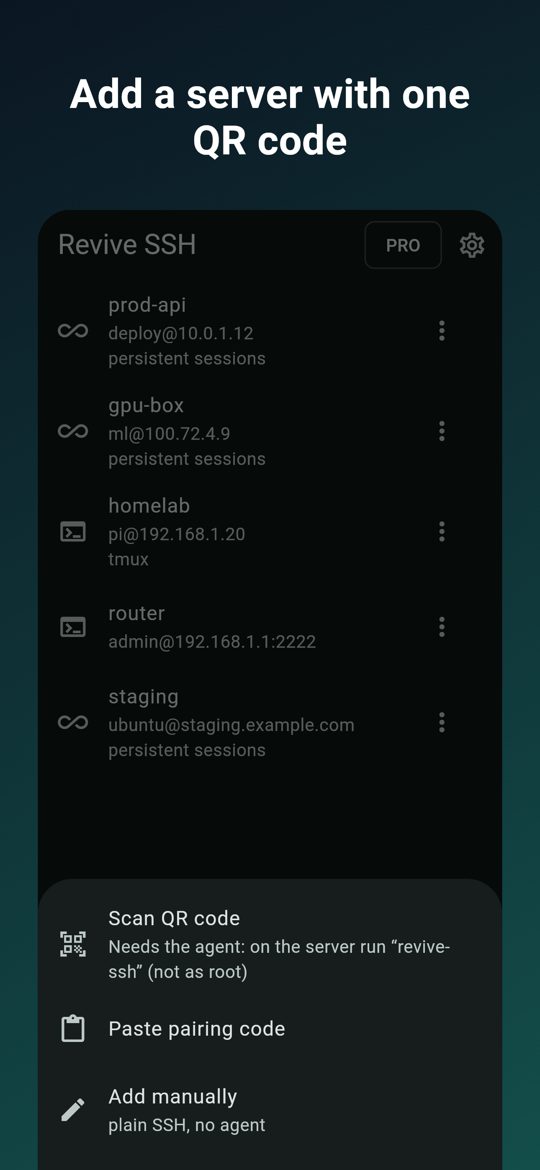
Run revive-ssh on the server and point the app at the code. Keys and host fingerprint are set up for you.
revive-sshNever lose a session
Lock the phone, switch networks, let the server reboot. Come back to the same session, with the scrollback.
# that's it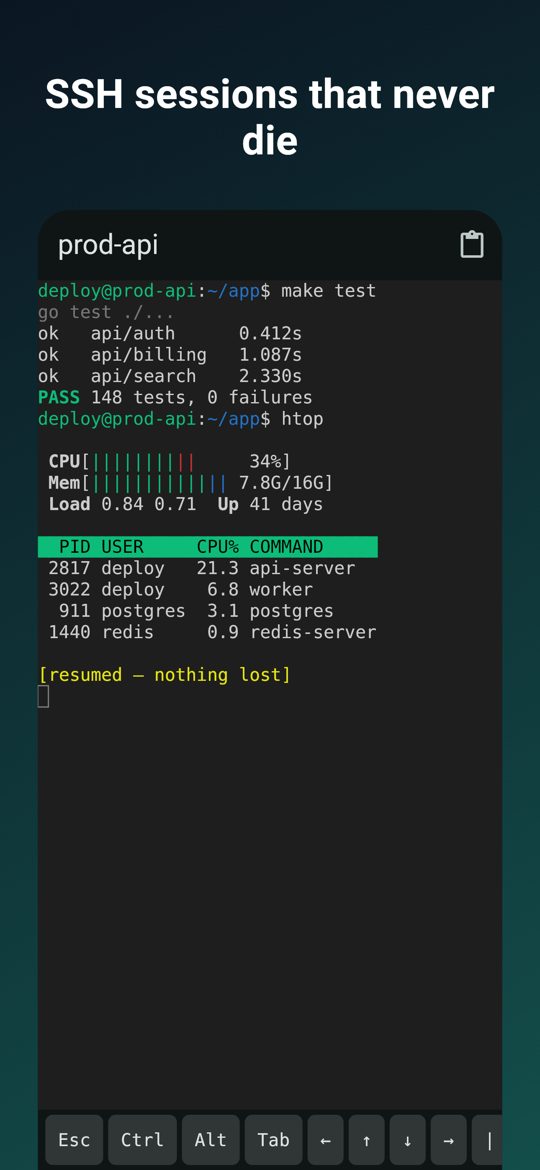
What it does
Sessions that survive
Phones suspend apps and SSH connections drop. With the free revive-ssh agent on the server, the app resumes the exact same session: every byte you missed arrives once, vim, htop or a coding agent come back on screen, the scrollback stays.
Share or hand over a session
Let a colleague on the same server join your session — with full access or view only — or hand it over: they get their own session with its history and directory. Every device sees where the session is open.
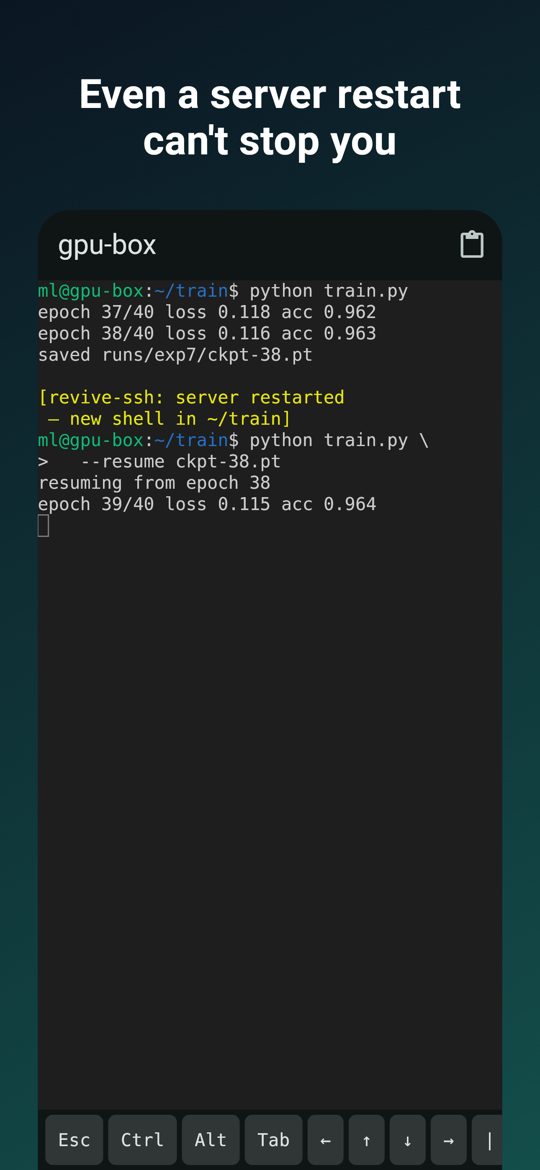
Even after a server restart
If the server reboots or crashes, the session returns with its history and a fresh shell in the same directory.
One QR code to pair
Run revive-ssh on the server and scan the code. The app creates its own key and pins the server's host key from the QR code. No copying keys, no new ports — it works over your existing sshd.
Phone and desktop, one session
Start a long job at your desk, check it on the phone, continue at the desk with revive-ssh connect. The screen size follows whoever typed last.
Your sessions in a browser, for a while
Open get.vendo.bot/revive-ssh/web on any computer and let that browser tab in from your phone for 1–24 hours, view only if you like. The tab gets your sessions and nothing else: no shell beside them, a key that never leaves the tab, cut off from the phone at any time. New in the beta.
Notifications
A push when a long command finishes while you are away, when Claude Code, Codex, Gemini CLI, Antigravity, Cursor, opencode or Aider finishes or asks for permission, or from your own scripts: revive-ssh notify "done". The text is end-to-end encrypted: our relay, Apple and Google never see it.
A real SSH client, agent optional
Connect to any SSH server with a password or a device key, optionally attaching to tmux. Plain SSH is free, with unlimited servers.
A keyboard that works
Esc, Ctrl, Alt, Tab, arrows, Home/End, PgUp/PgDn, F1–F12 and ^C one tap away; scrolling that works inside tmux too.
Security first
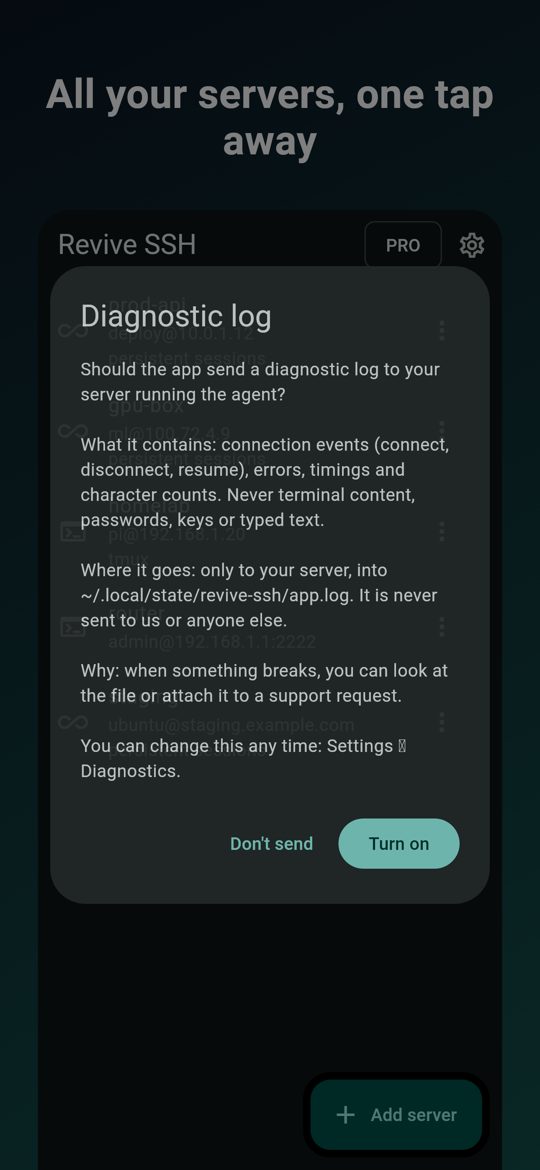
Pinned host keys; passwords and keys in the system's secure storage; the agent runs as a regular user, refuses to run as root and opens no ports; agent updates are signed and verified before they run. No ads, no tracking.
The server agent
One static binary for Linux (amd64, arm64), installed as a regular user. Optional: plain SSH works without it.
apt · dnf · zypper · Agent guide: commands, notifications, repositories
curl -fsSL https://get.vendo.bot/revive-ssh/install.sh | shrevive-sshPricing
Plain SSH
Free, forever
- Any SSH server, unlimited hosts
- Password or device key
- Optional tmux auto-attach
- The full keyboard bar
Revive SSH Pro
14-day free trial
- Persistent sessions through the agent
- QR pairing
- SFTP and port forwarding
- Yearly, monthly or lifetime
Plain SSH is free. Revive SSH Pro — persistent sessions through the agent, QR pairing, SFTP and port forwarding — is a yearly subscription with a 14-day free trial, a monthly subscription, or a one-time lifetime purchase.
Questions
Do I have to install anything on my server?
No. Revive SSH is a full SSH client on its own. The revive-ssh agent is optional: it adds sessions that survive and QR pairing.
Does the agent need root or open a port?
No. It runs as a regular user, refuses to run as root and talks only over your existing sshd. There is no new port to firewall.
Can you see my terminal?
No. Your session goes over SSH straight between your device and your server. Notification text is end-to-end encrypted: our relay, Apple and Google never see it.
What happens when the server reboots?
With the agent, the session comes back with its history and a fresh shell in the same directory.
Which servers does the agent support?
Linux on amd64 and arm64, packaged for apt, dnf and zypper, or installed with a single command.
How are updates kept safe?
Every agent and desktop update is signed and verified before it runs. The signing key never sits on the update server.
Your next SSH session is the last one you lose.
Try it now — plain SSH is free.